
Loading
Getting your next view ready…
Getting your next view ready…
Workout routine planner
Reusable sessions with your exercises, your set structure and your training days. Routines are editable templates you own — not a program that tells you what to do.
Plan
What a routine controls
A routine gives the next workout a starting shape. Everything in it can still change while you train.
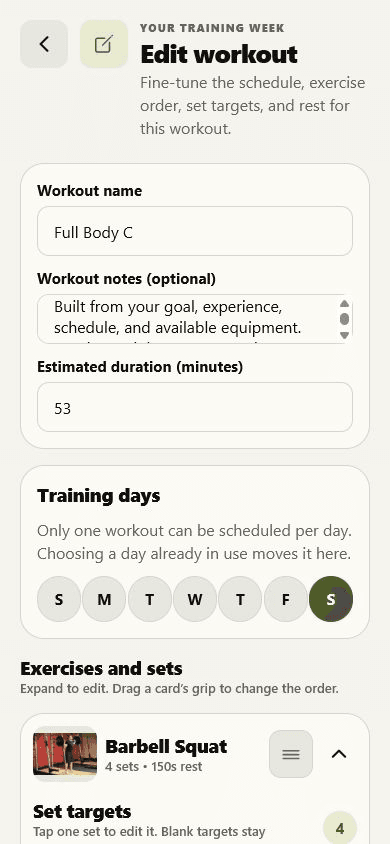
Give the session a name you will recognise at 6am and an approximate length so you can pick a routine that fits the time you have.
Schedule a routine on one weekday, several, or none at all if you would rather start it on demand.
Search the 873-exercise library, add several movements at once, then drag them into the order you actually perform them.
Add or remove sets per exercise and enter only the load, reps, time, distance or effort targets that make sense for that movement.
Set rest per exercise and keep setup cues or intentions next to the plan instead of in a separate notes app.
No defaults
Sets are not one size
A warm-up, a timed hold and a heavy compound do not need the same prescription. Each exercise expands to the controls that belong to it.
| Set | Target | Rest |
|---|---|---|
| 1 | 4–6 reps | 180 s |
| 2 | 4–6 reps | 180 s |
| 3 | 6–8 reps | 120 s |
Same day
Two routines on one day?
Jijibisha does not merge exercises or guess which session you meant. Start either one — or complete both as two distinct workouts.
Build one
Start from something
Browse the exercise library by muscle or equipment, read a guide on adding weight sensibly, then build the routine around what you can actually do this month.
Get the app
Install Jijibisha, pick your training days, and have the plan waiting when you walk into the gym tomorrow.